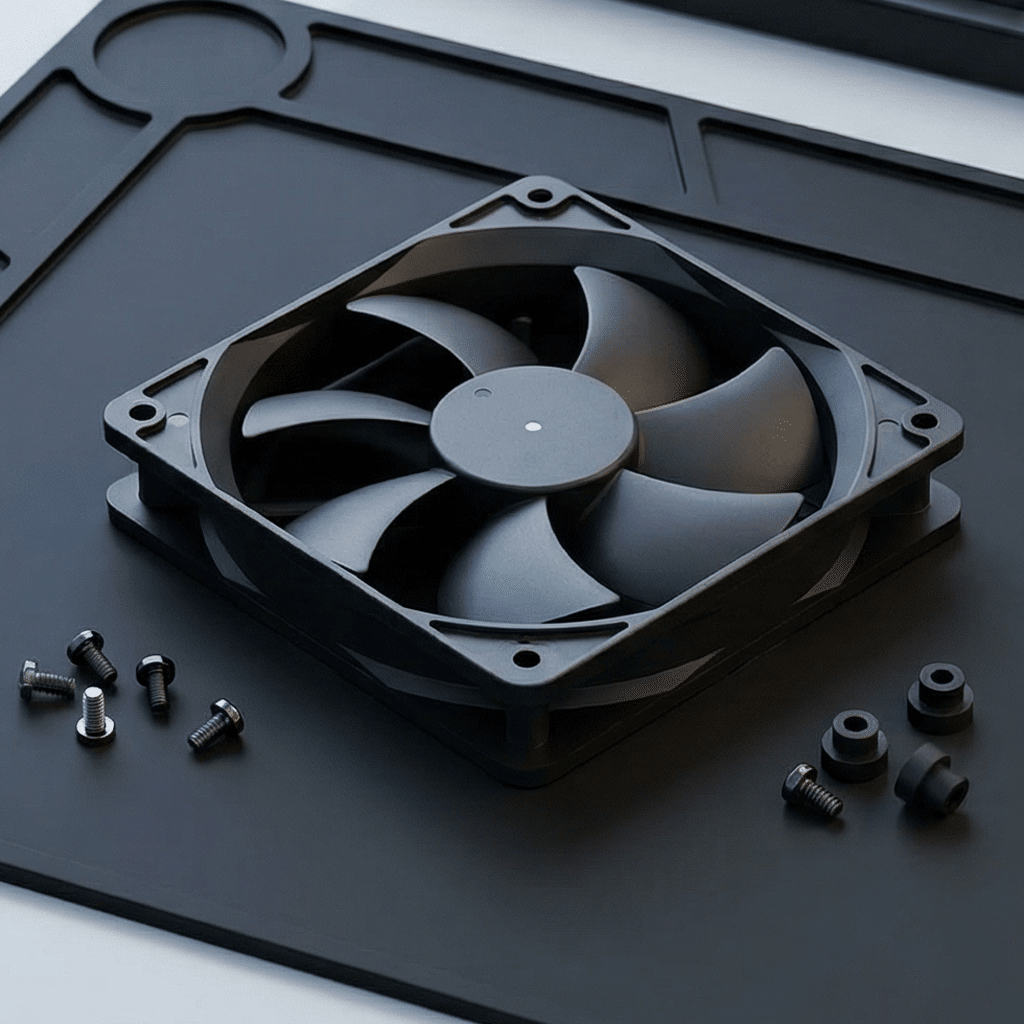

Cooling Fan Noise Reduction Guide- Quieter Industrial Thermal Design
Cooling Fan Noise Reduction Guide: Quieter Industrial Thermal Design
Cooling fans are essential for electronics, electrical cabinets, servers, battery systems and industrial machines. But a fan that solves a thermal problem can also create an acoustic problem. Effective noise reduction is not achieved by selecting the lowest published dB(A) figure alone. It requires matching the fan, airflow path, controls and installation to the real operating conditions.
Where cooling fan noise comes from
Fan noise has several sources. Motor and bearing noise are mechanical sources. Blade rotation creates aerodynamic noise, while grilles, filters, sharp duct turns and small openings create turbulence. Vibration can travel into the chassis and turn a quiet fan into an audible system. As a result, a catalog noise value measured in open air may differ substantially from the noise of the installed equipment.
Start with the thermal requirement
Do not reduce fan speed before understanding the heat load. Define the heat generated by components, maximum ambient temperature, permitted component temperatures and likely airflow restriction. Then select a fan that delivers the required airflow at the actual static pressure. A fan that is too small often runs at maximum RPM, creating more noise and leaving little thermal margin. A properly sized fan can often run more slowly and quietly.
| Design condition | Noise-reduction focus |
|---|---|
| Open, low-resistance cabinet | Use a larger fan at lower RPM where space allows. |
| Filters, grilles or moderate resistance | Reduce restriction and select from the pressure–airflow curve. |
| Dense heat sinks or ducted air path | Use adequate static pressure and smooth airflow transitions. |
Choose the right fan and operating point
Size matters. A larger-diameter fan can often move the same airflow at lower speed than a smaller fan, reducing tonal blade noise. However, the selected fan must fit the space and meet pressure requirements. Compare the pressure–airflow curve, not only maximum CFM. If the system has filters, dense fins or ducts, a low-pressure fan may become noisy because it must operate near its limit without delivering sufficient air.
Improve the airflow path
Air-path design frequently produces more improvement than changing the fan itself. Use a free inlet and outlet area, avoid restrictive stamped grilles, minimize sharp bends near the inlet or exhaust, and keep cables away from the fan intake. Choose filters with an acceptable pressure drop and plan for cleaning or replacement. Prevent hot outlet air from recirculating to the inlet; recirculation increases temperature and forces the controller to run fans faster.
Use PWM control intelligently
Four-wire PWM fans enable speed to follow temperature demand. Create a control curve with a safe minimum speed, gradual ramping and hysteresis. Hysteresis prevents rapid speed changes that users often find more noticeable than stable fan noise. Use multiple temperature sensors when different zones—such as processors, batteries and power electronics—have separate hotspots. For safety, define a high-speed fallback when a critical sensor or fan feedback signal fails.
Important: Do not set the minimum PWM duty so low that the fan cannot start reliably. Confirm startup, tachometer feedback and temperature performance at low and high ambient conditions.
Control vibration and resonance
Use balanced fans, rigid mounting surfaces and correctly tightened fasteners. When appropriate, use rubber grommets or isolators to reduce vibration transfer. Avoid mounting a fan onto a large thin panel that can resonate. Check for rattling filters, loose covers, cables touching blades and resonance at specific RPM values. These simple assembly details can have a large acoustic effect.
Validate in the finished product
Measure noise and component temperatures in the actual enclosure. Test low load, peak load, high ambient temperature, dirty-filter allowance and fan-failure response. Record RPM, temperature and sound level together: this reveals whether noise comes from the fan, a restriction or a control issue. A quiet design must still maintain thermal reliability in every intended operating condition.
Checklist
- Calculate heat load and required airflow at real static pressure.
- Prefer lower RPM and larger fan size when practical.
- Remove unnecessary grilles, sharp bends and intake obstructions.
- Use PWM curves with hysteresis and fault fallback.
- Isolate vibration and eliminate loose components.
- Validate thermal and acoustic performance in the completed equipment.
FAQ
Does lowering fan voltage reduce noise?
It can reduce RPM and noise, but may compromise startup and cooling. PWM control or a compatible controller is usually a more predictable method for supported DC fans.
Are quieter fans always better?
No. The correct fan must first meet cooling and reliability requirements. The goal is the lowest practical noise at a safe operating temperature.
Conclusion
Quieter cooling is a system-design result. Match fan pressure and airflow to the real enclosure, remove airflow restrictions, control speed smoothly, isolate vibration and validate the finished product. This approach reduces noise without sacrificing component life or uptime.
Cooling Fan Bearing Types-Sleeve vs. Ball Bearing
Related Article