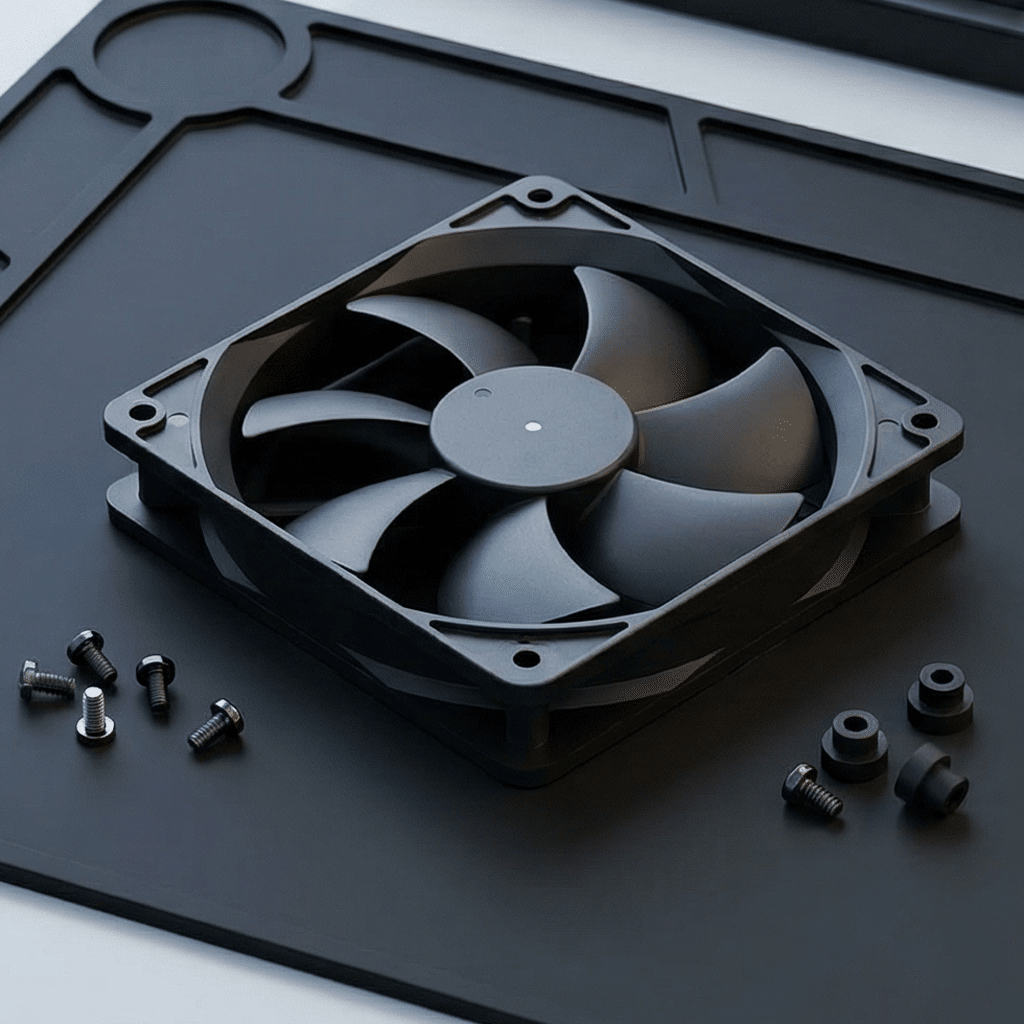
Server Room Cooling: How to Build an Efficient Airflow System with DC Fans
Server Room Cooling: How to Build an Efficient Airflow System with DC Fans
Master the art of server room thermal management — strategic DC fan placement, optimized airflow paths, and smart control for maximum cooling with minimum energy consumption.
The Cooling Challenge in Modern Server Rooms
As IT equipment becomes increasingly dense — with blade servers, GPU clusters for AI workloads, and high-speed storage arrays packed into every rack — thermal management has emerged as one of the top three operational risks for server rooms and small data centers. A single rack can now produce 10-30 kW of heat, and without proper airflow, equipment failure is inevitable.
The challenge is not just about having fans — it is about building an efficient airflow system. Randomly installed fans create turbulence, recirculation, and hot spots, wasting energy while failing to protect critical hardware. DC fans, with their superior speed control, higher efficiency, and longer lifespan, are the ideal building blocks for a well-engineered server room cooling system.
This guide walks through the complete process of designing, building, and optimizing a DC fan-based airflow system — from understanding air dynamics to real-world deployment checklists.
Before placing a single fan, you need to understand the two most critical specifications: CFM (Cubic Feet per Minute) — how much air a fan can move in open air — and Static Pressure — how forcefully that air can push through resistance such as filters, dense components, or cable bundles.
In a server rack with densely packed equipment, a high-CFM fan with low static pressure may look impressive on paper but will stall when it encounters resistance. Conversely, a high-static-pressure fan with moderate CFM will push air through obstacles and maintain laminar flow — exactly what a server room needs.
| Parameter | Low-Density Rack (<5kW) | Medium-Density Rack (5-15kW) | High-Density Rack (>15kW) |
|---|---|---|---|
| Recommended CFM per rack | 200 - 400 CFM | 400 - 800 CFM | 800 - 1,500+ CFM |
| Required static pressure | 0.1 - 0.3 inH₂O | 0.3 - 0.8 inH₂O | 0.8 - 2.0+ inH₂O |
| Typical DC fan size | 80-120mm | 120-172mm | 172-254mm (dual counter-rotating) |
| Fan configuration | Single row, top exhaust | Push-pull, rack-mounted | Multi-zone, forced air with containment |
💡 Key Insight: CFM Alone Is Misleading
Always evaluate the fan's P-Q curve (Pressure vs. Airflow performance curve). A DC fan rated at 200 CFM in free air might deliver only 80 CFM when installed behind a dust filter and perforated rack door. Choose fans whose operating point on the P-Q curve matches your actual system impedance. DC fans with PWM control can dynamically adjust their speed to maintain target airflow even as filter resistance increases over time.
Effective server room cooling is fundamentally about creating predictable, low-turbulence airflow channels that guide cool air precisely where it is needed and exhaust hot air quickly. This is where DC fans excel — their compact size and flexible mounting options allow you to build multi-layered directional airflow paths that AC fans cannot achieve.
The Three-Zone Airflow Architecture
Ideal Airflow Path Through a Server Rack
Front of Rack
Servers / Storage
Rear of Rack
Ceiling / Duct
DC fans at each stage ensure directional flow, prevent recirculation, and eliminate hot spots
| Zone | Fan Type | Placement | Purpose |
|---|---|---|---|
| Intake Zone | High-CFM DC axial fan (120-172mm) | Perforated front door / raised floor grille | Pull cool air from cold aisle into rack at consistent velocity |
| Mid-Rack Zone | Medium static pressure DC fan (80-120mm) | Between equipment units, facing rear | Push air through equipment chassis, overcome internal resistance |
| Exhaust Zone | High-static-pressure DC fan (172-254mm) | Rear door / ceiling duct inlet | Extract hot air, prevent recirculation back to cold aisle |
🎯 Placement Rules of Thumb
1. Never mix intake and exhaust on the same face. Keep cold aisles strictly intake-only and hot aisles strictly exhaust-only. Even one backwards fan can short-circuit your entire airflow design.
2. Use blanking panels. Every empty U-slot in a rack is a leak path. Fill them. A single 1U gap can recirculate 15-20% of hot exhaust back to the intake side.
3. Stack fans vertically. Heat rises naturally. Place extraction fans at the top of racks and the ceiling to work with natural convection, not against it.
4. Maintain 2x rack depth clearance behind racks. This ensures exhaust air has space to rise without creating back-pressure on the fans.
For server rooms running 24/7/365, every watt saved by the cooling system is a watt that does not need to be paid for twice — once to run the fan, and again to remove the fan's own heat from the room. DC fans deliver significant efficiency advantages over traditional AC axial fans in server cooling applications.
| Efficiency Metric | AC Axial Fan (Standard) | DC Brushless Fan (BLDC) |
|---|---|---|
| Motor efficiency | 35 - 55% | 75 - 90% |
| Power consumption (120mm, 100 CFM) | 25 - 40W | 6 - 15W |
| Speed control method | Triac / voltage (inefficient at low speed) | PWM (efficient across full range) |
| Annual energy cost (per fan, 24/7) | $35 - $55 | $8 - $20 |
| Heat produced by motor | 15 - 25W (adds to room load) | 3 - 8W (minimal additional load) |
| Startup inrush current | 3-5x rated current | Soft start, no inrush spike |
💰 TCO Comparison: 50-Fan Server Room Over 5 Years
AC Fans (50 units): ~$10,000 energy cost + 3-4 fan replacements + additional HVAC load from fan heat = ~$15,000 - $18,000
DC Fans (50 units): ~$3,500 energy cost + 0-1 fan replacements + reduced HVAC load = ~$5,000 - $7,000
Result: DC fans deliver 55-65% lower total cost over 5 years, with the energy savings alone often covering the initial hardware cost within 18-24 months.
The hot aisle / cold aisle configuration is the industry standard for server room layout — and DC fans are the ideal actuators to enforce it. The principle is simple: racks are arranged in alternating rows so that the front of every rack faces a cold aisle and the rear faces a hot aisle. DC fans ensure this separation is maintained with precision.
❌ Without Proper Containment
- Hot exhaust recirculates to equipment intakes
- Cold air bypasses equipment entirely
- Temperature varies 10-15°C top to bottom
- Cooling energy wasted on already-cool air
- Hot spots form unpredictably
✅ With DC Fan-Enforced Containment
- Cold aisle stays 18-22°C consistently
- Hot aisle exhausts at 35-45°C without mixing
- Temperature delta top-to-bottom < 3°C
- 30-40% reduction in cooling energy
- Predictable, uniform equipment inlet temperatures
| Containment Strategy | DC Fan Role | Temperature Improvement | Energy Saving |
|---|---|---|---|
| Cold aisle containment (CAC) | DC fans on rack doors pull air from enclosed cold aisle at controlled rate | 5-8°C lower inlet temp | 25-35% |
| Hot aisle containment (HAC) | DC extraction fans at ceiling ducts pull hot air directly to return plenum | 8-12°C reduction in room ambient | 30-40% |
| Full containment (CAC + HAC) | Coordinated push-pull DC fan array with differential pressure control | 10-15°C tighter control | 40-50% |
🏗️ Retrofit Tip
Even without full physical containment, strategically placed DC fans can create a "virtual curtain" effect. Mount high-static-pressure DC fans at the top-rear of each rack row, angled slightly upward toward the return air plenum. This creates a negative pressure zone that pulls hot air up and away from the cold aisle — achieving ~60-70% of the benefit of full containment at a fraction of the cost.
The final piece of the puzzle is intelligent control. DC fans with PWM (Pulse Width Modulation) capability can adjust their speed continuously from 0-100%, responding in real-time to temperature sensors placed throughout the server room. This transforms cooling from a "set and forget" brute-force approach into a responsive, energy-optimized system.
Three Tiers of DC Fan Control
| Control Tier | Method | Response Time | Best For |
|---|---|---|---|
| Level 1: Basic | Fixed PWM duty cycle (e.g., 60%) — manual setting | N/A (static) | Small server closets, stable loads |
| Level 2: Reactive | Thermistor feedback → automatic PWM adjustment | 1-3 seconds | Most server rooms, moderate load variation |
| Level 3: Predictive | Multi-sensor array + BMS/DCIM integration + trend analysis | Proactive (pre-cool before load spike) | High-density data centers, AI/GPU clusters |
🧠 The Predictive Cooling Advantage
Modern DC fan controllers can integrate with Data Center Infrastructure Management (DCIM) software and Building Management Systems (BMS) via standard protocols (Modbus RTU, BACnet, or SNMP). When a scheduled batch job kicks off at 2 AM and CPU utilization spikes, the system can ramp up DC fans 2-3 minutes before the temperature rise, maintaining stable inlet temperatures without overshoot. This proactive approach eliminates thermal cycling stress on equipment and reduces fan energy consumption by an additional 15-25% compared to reactive control alone.
Sensor Placement Strategy
| Sensor Location | Quantity (per rack) | Measures | Controls |
|---|---|---|---|
| Cold aisle (front, mid-height) | 1 per 3 racks | Supply air temperature | Intake fan speed baseline |
| Rack intake (top, middle, bottom) | 3 per rack | Equipment inlet temperature | Per-rack fan speed adjustment |
| Rack exhaust (rear, mid-height) | 1-2 per rack | Exhaust air temperature (ΔT) | Extraction fan speed |
| Hot aisle / return plenum | 1 per aisle | Room return air temperature | HVAC coordination signal |
Selection Guide & Deployment Checklist
Choosing the right DC fan configuration depends on your server room's size, rack density, and thermal budget. Use the guide below to select the appropriate fan strategy, then follow the deployment checklist to ensure a successful implementation.
| Server Room Profile | Recommended DC Fan Configuration | Control Strategy | Estimated Payback Period |
|---|---|---|---|
| Small server closet (1-3 racks, <15kW total) |
120mm DC fans: 2 intake (front), 2 exhaust (top-rear) per rack | Level 2 — thermistor-based PWM | 12-18 months |
| Medium server room (5-15 racks, 15-100kW) |
172mm DC fans: push-pull per rack + hot aisle extraction array | Level 2-3 — multi-sensor with DCIM integration | 18-24 months |
| High-density data center (20+ racks, >100kW) |
200-254mm DC fans: full containment with multi-zone forced air | Level 3 — predictive with BMS integration | 12-18 months |
| Edge / micro data center (1-2 racks, remote location) |
Compact 80-120mm DC fans with redundant pairs, DC powered | Level 2 — autonomous with remote monitoring | 8-14 months |
✅ Pre-Deployment Checklist
☐ 1. Thermal audit complete: Measure current inlet/outlet temperatures at every rack position.
☐ 2. P-Q curve analyzed: System impedance calculated — fans selected to operate at 50-80% of max speed at design point.
☐ 3. Redundancy planned: N+1 fan configuration for all critical zones. A single fan failure must not create a hot spot.
☐ 4. Blanking panels ordered: All unused rack U-slots filled before fan installation.
☐ 5. Cable management executed: Cables routed to sides of rack — never blocking front-to-rear airflow path.
☐ 6. Sensor grid installed: Temperature sensors at top/middle/bottom of representative racks.
☐ 7. Control system validated: PWM response tested end-to-end before production deployment.
☐ 8. Monitoring dashboard live: Real-time temperature and fan speed visible to operations team.
☐ 9. Maintenance schedule set: Quarterly filter cleaning, bi-annual fan inspection, annual performance re-audit.
☐ 10. Spare parts on hand: At least 1 spare fan of each type for rapid swap (<5 minute replacement).
🏆 Pro Recommendation
For any server room where equipment value exceeds $50,000, investing in a well-engineered DC fan airflow system with smart control is no longer optional — it is the most cost-effective insurance policy you can buy. The hardware cost is typically recovered through energy savings alone within 2 years, and the avoided cost of even a single thermal-related server failure often justifies the entire investment.
🌬️ Ready to Optimize Your Server Room Cooling?
We supply high-performance DC axial fans, blowers, and cross-flow fans for server rooms, data centers, and telecommunications facilities. Our engineering team can help you size fans, design airflow layouts, and select the right control strategy for your specific deployment.
❓ FAQ: Server Room DC Fan Cooling
Q: How many DC fans do I need per server rack?
A: A standard 42U rack typically needs 3-6 strategically placed DC fans: 1-2 for front intake, 1-2 for mid-rack air push, and 1-2 for rear/top exhaust. High-density racks (>15kW) may need 8-12 fans in a push-pull configuration. Always calculate based on your rack's total thermal load (kW) divided by the fan's actual in-system CFM at your impedance level.
Q: Can I replace existing AC fans with DC fans one-for-one?
A: In most cases, yes — but not one-for-one in terms of physical count. Because DC fans are more efficient, you can often achieve the same or better airflow with fewer fans. However, you should re-calculate your airflow requirements rather than simply swapping. Our engineering team can help with a drop-in replacement analysis. Also ensure your power supply includes the necessary DC voltage rail (typically 12V, 24V, or 48V DC).
Q: What is the difference between axial, blower, and cross-flow DC fans for server cooling?
A: Axial fans move large volumes of air parallel to the fan axis — ideal for front-to-rear rack airflow. Blowers (centrifugal fans) produce higher static pressure with airflow perpendicular to the intake — best for pushing air through dense equipment or ductwork. Cross-flow fans produce a wide, uniform air curtain — useful for door-mounted air barriers in contained aisles. Most server room applications use axial fans as the primary workhorse, with blowers for high-impedance zones.
Q: How do I handle fan failure in a 24/7 server room?
A: Always design with N+1 redundancy — one more fan than strictly required in each zone. Implement fan tachometer (RPM) monitoring via the PWM control line so failures trigger immediate alerts. When a fan fails, the remaining fans in that zone automatically ramp up to compensate (this is a key advantage of PWM-controlled DC fans). Keep hot-swap fan trays with quick-release connectors for sub-5-minute replacements without powering down equipment.
Q: What about noise? Do DC fans run quieter than AC fans?
A: Yes — DC fans typically operate 3-8 dB quieter than equivalent AC fans at the same airflow, primarily because the electronic commutation eliminates brush noise and the PWM control allows them to run at optimal (lower) speeds during off-peak periods. In office-adjacent server rooms where noise is a concern, DC fans at 50-60% PWM can maintain adequate cooling while running near-silently during business hours.
Home Appliances Getting Thinner, But What About Cooling? Ultra-Thin DC Fans Offer a Solution
Medical Devices Demand Quieter Cooling, DC Fans Become Preferred Solution
Related Article